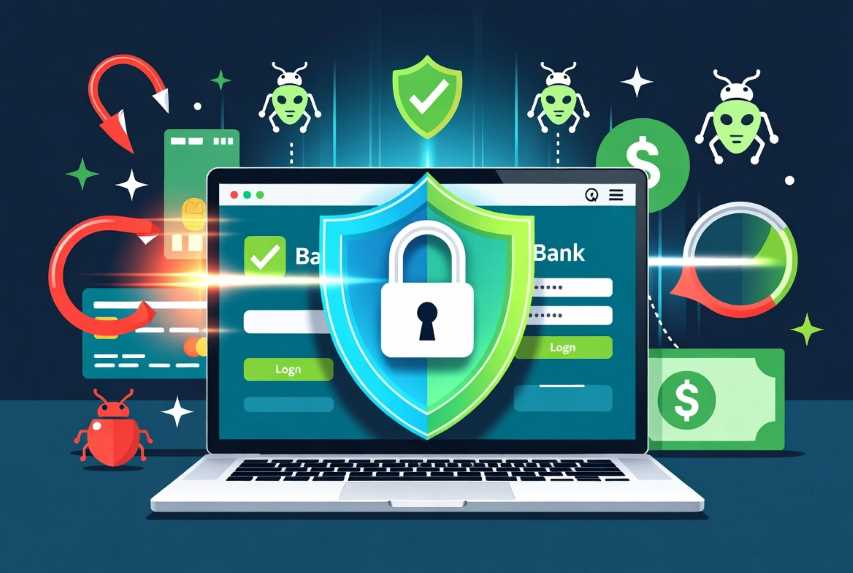
In today’s digital world, managing your finances online has become incredibly convenient. You can check balances, transfer money, pay bills, and monitor investments from almost anywhere with just a few taps or clicks. However, this convenience comes with serious risks. Cybercriminals are constantly developing new ways to steal your hard-earned money through fake websites and malicious programs. These threats have grown more sophisticated in 2026, fueled by artificial intelligence that creates highly convincing phishing messages, deepfake voice calls, and automated attack tools.
Recent reports from major cybersecurity authorities highlight that phishing-related financial losses have nearly quadrupled in recent years, with global projections showing phishing-driven fraud exceeding tens of billions of dollars annually. Financial services remain one of the most heavily targeted sectors because that is where the money is. The average person may feel overwhelmed by these risks, but the reality is that strong protection does not require advanced technical skills. It requires consistent habits, the right tools, and a clear understanding of how these attacks work.
This guide explains the threats in detail and provides actionable, step-by-step instructions to protect your bank accounts. Whether you are a beginner or someone who already takes basic precautions, you will find practical advice that can be implemented immediately. We will cover how to spot and avoid fake websites, how to defend your devices against malware, advanced strategies for extra security, what to do during an incident, and how to build long-term protective habits. By the end, you will have a complete defense system that significantly reduces your chances of becoming a victim.
Understanding the Modern Threat Landscape
Before diving into solutions, it is essential to understand exactly what you are up against. The two main categories of threats to your bank account are fake websites designed to steal your login credentials and malicious programs that infect your devices to capture information or manipulate transactions.
Fake websites, often called phishing sites, are carefully crafted copies of legitimate bank login pages. Attackers register domain names that look very similar to the real ones. They might use slight misspellings, extra words, or characters that look almost identical in certain fonts. Once you land on one of these pages and enter your username and password, the information goes straight to the criminals. Some advanced phishing sites even capture one-time passwords or security codes in real time.
Phishing attacks have evolved far beyond simple emails. In 2026, many arrive through text messages (smishing), fake QR codes (quishing), social media messages, or even voice calls using AI-generated voices that sound like your bank representative or a family member in distress. These attacks often create a sense of urgency or fear — claiming your account will be locked, suspicious activity has been detected, or you need to verify a large transaction immediately. The goal is to make you act quickly without thinking.
Malicious programs, commonly known as malware, come in many forms. Banking trojans are specifically designed to target financial information. They can record every key you press, take screenshots when you visit your bank’s website, steal saved passwords from your browser, or even inject fake forms that overlay the real page. Some malware waits silently until you log into your bank and then intercepts or redirects the transaction.
These programs spread through several common methods. Email attachments that look like invoices or important documents remain popular. Fake software updates, especially for popular programs like PDF readers or video players, trick people into installing malware. Downloading pirated software, movies, or games is another major risk because these files are frequently bundled with hidden malicious code. On mobile devices, fake apps or links that ask you to sideload software outside official app stores can install dangerous programs.
Zero-click attacks have also become more common. These exploit vulnerabilities in messaging apps or operating systems so that simply receiving a specially crafted message or image can install malware without any action from you. While less common for average users than traditional methods, they show how sophisticated the threat environment has become.
Understanding these threats helps you recognize why simple habits and multiple layers of protection are necessary. No single tool or action can stop every attack, but combining several strong practices creates a robust defense that makes it very difficult for criminals to succeed.
Protecting Yourself from Fake Websites and Phishing Attacks
The first line of defense is learning how to avoid fake websites. This requires changing some common browsing habits and using technology to your advantage.
The most important rule is simple but powerful: never click on links in emails, text messages, or social media posts that claim to come from your bank. Even if the message looks official and uses your name, treat it as suspicious. Instead of clicking, open your web browser and manually type the official website address or open your bank’s official mobile application. This single habit prevents the vast majority of phishing attacks because you never land on the fake page in the first place.
When you do visit your bank’s website, always verify the address carefully. Look for the padlock icon in the address bar, which indicates a secure connection. More importantly, check the actual domain name. Criminals often use domains that are very close to the real one. For example, they might use “secure-yourbank-login.com” or replace letters with numbers or similar-looking characters. Take an extra second to read the full address before entering any information.
Using your bank’s official mobile application is generally safer than using a web browser. Apps are harder for attackers to impersonate, and they often include additional security features such as biometric login and real-time transaction notifications. Make sure you download banking apps only from the official Apple App Store or Google Play Store, and keep them updated.
Multi-factor authentication, often called MFA or 2FA, adds a critical second layer of protection. Even if someone steals your password, they still need the second factor to access your account. However, not all types of MFA are equally secure. SMS-based codes sent to your phone can be intercepted through SIM swapping attacks. For better protection, use an authenticator app that generates codes on your device or, even better, use passkeys when your bank supports them.
Passkeys represent one of the biggest security improvements in recent years. They use cryptographic keys stored securely on your device and are tied to your biometrics or device PIN. Because the actual secret never leaves your device and cannot be phished like a password or code, they are highly resistant to the fake website attacks described earlier. If your bank offers passkeys, enable them as soon as possible.
A password manager is another essential tool. These programs generate long, random, unique passwords for every account and store them securely. You only need to remember one strong master password. Using unique passwords means that even if one account is compromised, your bank account remains safe because the stolen password will not work anywhere else. Modern password managers also include features that alert you if any of your passwords appear in known data breaches.
Beyond these core habits, you can strengthen your protection by paying attention to the psychology of scams. Attackers often use urgency, fear, authority, or offers that seem too good to be true. They might claim there is a problem with your account that requires immediate action or threaten legal consequences. Legitimate banks rarely, if ever, create this kind of pressure through unsolicited messages. Taking a moment to pause and think before responding can save you from many attacks.
Another useful practice is to regularly review your bank’s official security pages and communications. Banks often publish information about current scam trends affecting their customers. Staying aware of the latest tactics helps you recognize them when they appear.
Defending Your Devices Against Malicious Programs
Even if you never visit a fake website, malware can still reach your computer or phone through other channels. Protecting your devices requires ongoing maintenance and smart habits.
The foundation of device security is keeping your operating system and all applications up to date. Software updates often include patches for security vulnerabilities that malware exploits. Enable automatic updates whenever possible so you do not have to remember to check manually. This applies to your computer’s operating system, web browser, mobile operating system, and every app you use — especially your banking apps.
Security software provides another important layer. On Windows computers, the built-in Microsoft Defender offers strong real-time protection against viruses, ransomware, and many other threats. It performs well in independent tests and requires no additional cost. For users who want extra features, reputable paid security suites often include specialized tools such as web shields that block dangerous websites, ransomware protection that prevents files from being encrypted, and dedicated banking modes that create a protected environment for financial transactions.
When choosing security software, look for products with strong independent lab test results, low impact on system performance, and features relevant to online banking. Regardless of which solution you use, make sure real-time protection is enabled and run full system scans periodically, especially after downloading new files or visiting unfamiliar websites.
Safe downloading and installation habits dramatically reduce malware risk. Only download software from official sources — the Microsoft Store, Apple App Store, Google Play Store, or the verified website of the software publisher. Avoid third-party download sites, torrent platforms, and any offers of “free” or cracked versions of paid software. These are frequent sources of bundled malware.
Email remains a major delivery method for malicious attachments. Be extremely cautious with unexpected attachments, even if they appear to come from someone you know. If you were not expecting a file, contact the sender through another method to verify before opening anything. The same caution applies to links in emails.
On mobile devices, the risks are slightly different but equally serious. Only install applications from official app stores. Review the permissions an app requests during installation and be suspicious of apps that ask for more access than they need. For example, a simple flashlight app should not require access to your contacts or messages. Keep your phone’s operating system updated, as mobile malware also targets known vulnerabilities.
Public Wi-Fi networks present additional risks because they are often unencrypted or poorly secured. Avoid performing banking transactions or accessing sensitive accounts while connected to public networks in coffee shops, airports, or hotels. If you must use public Wi-Fi, consider using a reputable virtual private network (VPN) service that encrypts your internet traffic and protects it from interception.
Regular maintenance helps catch problems early. Review the list of installed programs on your computer and remove anything you no longer use or do not recognize. On your phone, periodically check installed apps and delete unused ones. Review browser extensions and remove any that you did not intentionally install. These small habits prevent malware from hiding in plain sight for long periods.
Advanced and Proactive Protection Strategies
Once you have mastered the basics, several advanced strategies can provide even greater security. These are especially valuable if you manage large accounts, travel frequently, or simply want maximum protection.
Setting up comprehensive transaction monitoring and alerts is highly effective. Most banks allow you to receive immediate notifications via app push, text message, or email whenever a transaction occurs or when a login happens from a new device or location. Enable every relevant alert. This allows you to detect and report unauthorized activity within minutes rather than days or weeks later.
Some banks and credit card issuers offer virtual cards or single-use card numbers for online shopping. These generate temporary card details that can only be used once or for a specific merchant and amount. Even if the details are stolen, the criminals cannot make additional purchases. If your bank offers this feature, consider using it for any online transactions with merchants you do not fully trust.
Identity monitoring services can alert you if your personal information appears on the dark web or in data breaches. While these services cannot prevent attacks, they give you early warning so you can take action quickly, such as changing passwords or contacting your bank.
For advanced users, creating a dedicated browser profile or even using a separate virtual machine exclusively for banking activities adds another strong layer of isolation. Any malware that might be present on your main system has much greater difficulty reaching your banking session when it is contained in a separate environment.
Backing up important data regularly protects you from ransomware and also ensures you have records if something goes wrong. Use the 3-2-1 backup rule: keep three copies of important data on two different types of media, with one copy stored offsite or in the cloud. This protects both against malware and against hardware failure.
If you share devices with family members, establish clear rules about what can be downloaded and installed. Consider creating separate user accounts with limited privileges for children or less technical family members. This reduces the chance that someone else’s actions will compromise your banking security.
What to Do If You Suspect or Experience a Breach
Even with excellent precautions, it is still possible to encounter a problem. Knowing exactly what to do in those moments can minimize damage and speed recovery.
If you realize you may have entered your credentials on a fake website or clicked on a suspicious link, act immediately. Contact your bank using a phone number from the back of your physical card or from their official website that you type in yourself. Do not use any contact information from the suspicious message. Explain the situation clearly and ask them to monitor your accounts, freeze transactions if necessary, or issue new cards.
Change your passwords from a clean, trusted device that you believe is not infected. Start with your email account, because many banking recoveries and password resets depend on email access. Then change your banking passwords and enable or strengthen multi-factor authentication.
Run a full scan with your security software on any device you used during the suspicious activity. Quarantine or remove any threats the scan detects. If you do not have security software installed, download and run a reputable scanner immediately.
Monitor your accounts closely for the following days and weeks. Check for any unauthorized transactions, changes to contact information, or new accounts opened in your name. Set up additional alerts if they are not already active.
If significant fraud has occurred, you may need to work with your bank on dispute processes and possibly file reports with relevant authorities. Document everything — dates, times, what was said, and reference numbers for all conversations. This documentation is valuable for both the bank and any official investigations.
In some regions, you can place fraud alerts or credit freezes with credit reporting agencies. These measures make it much harder for criminals to open new accounts in your name using stolen information. Research the options available in your country and act quickly if you believe your identity may have been compromised.
After the immediate crisis passes, take time to review what happened and strengthen your defenses so the same situation does not repeat. Many people find that going through an incident makes them much more security-conscious afterward.
Building Long-Term Habits and a Security Routine
The most effective protection comes from consistent daily and weekly habits rather than one-time actions. Building a simple security routine makes strong protection feel natural instead of burdensome.
Every day, quickly glance at any transaction or login alerts you receive. A few seconds of attention can catch problems early. Once a week, take five to ten minutes to review recent account activity in more detail and check for any unrecognized logins or devices.
Monthly, review your installed applications and browser extensions, removing anything unnecessary. Check for software updates that may not have installed automatically. Test that your backups are working correctly.
Whenever you create a new online account or change an important password, immediately add it to your password manager and enable multi-factor authentication if available.
Common mistakes that undermine security include reusing passwords across multiple sites, clicking links without thinking because a message creates urgency, delaying software updates, and downloading files from untrusted sources. Being aware of these pitfalls helps you avoid them.
Another important habit is maintaining a healthy skepticism toward any unexpected request involving your money or personal information. Whether it arrives by email, text, phone call, or social media, take time to verify independently before taking any action.
Protecting your bank account from fake websites and malicious programs is entirely achievable with the right knowledge and consistent habits. The threats in 2026 are real and evolving, but they are not unstoppable. By combining careful browsing practices, strong authentication methods like passkeys, unique passwords managed by a reliable tool, up-to-date devices with good security software, proactive monitoring, and a calm approach to unexpected messages, you create multiple layers of defense that work together.
Remember that security is not about being perfect every single time. It is about making it significantly harder for attackers to succeed and having a clear plan when something does go wrong. Start by implementing the core recommendations in this guide — never clicking suspicious links, verifying URLs, enabling strong multi-factor authentication, and keeping your software updated. Then gradually add the more advanced strategies that fit your situation.
Your financial security is worth the small amount of time and attention these habits require. Stay informed about new tactics as they emerge, continue refining your approach, and you can bank online with much greater confidence and peace of mind. The power to protect yourself is in your hands — use it consistently, and you will stay one step ahead of the threats.
 |  |  |
 |  |  |