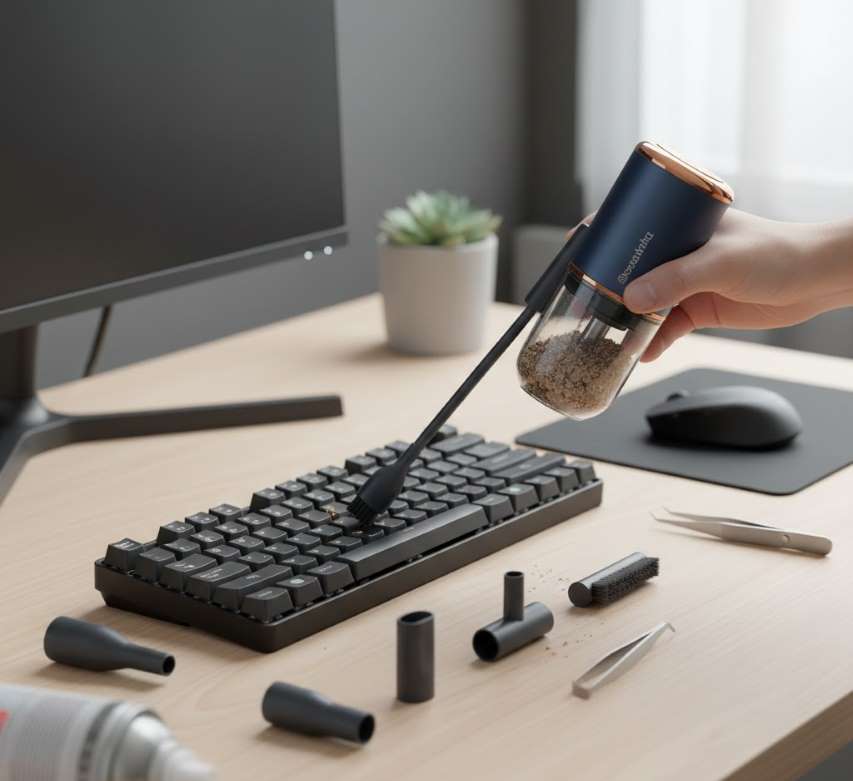
Precision Cleaning for Your Digital Workspace
A Multi-Attachment Keyboard Cleaner is a specialized, all-in-one cleaning kit designed to remove dust, debris, crumbs, and grime from the intricate surfaces and hard-to-reach crevices of keyboards, electronics, and office equipment. Moving beyond a simple compressed air can, it combines manual tools and specialized attachments into a single, ergonomic system for a deep, thorough, and non-damaging clean. It is an essential tool for maintaining hygiene, device longevity, and optimal performance for keyboards, laptops, gaming consoles, and more.
Core Design & Principle
The system operates on a combination of mechanical removal (brushing, scraping, picking) and adhesive lifting (gel, putty, sticky rollers). Instead of simply blowing debris around, it physically extracts and contains it. The multi-attachment design allows the user to switch tools seamlessly to address different types of contamination on various surfaces.
The Attachment Suite: A Detailed Breakdown
| Attachment | Description & Material | Primary Function | Ideal For |
|---|---|---|---|
| Cleaning Gel / Putty | A non-toxic, reusable, malleable silicone gel. | Pressed onto surfaces to lift and trap dust, hair, and particles from between keys. | Crumbs and particulate matter in key gaps; laptop vents; car vents. |
| Soft-Bristled Brush | Fine, anti-static nylon or natural hair bristles. | Loosens and sweeps away surface dust and loose debris. | General surface dusting; cleaning around keycaps. |
| Stiff-Bristled Brush | Denser, more rigid plastic or nylon bristles. | Dislodges caked-on grime and stubborn particles. | Cleaning mechanical keyboard switches; removing dried spills. |
| Metal Pick / Spudger | Thin, pointed stainless steel or plastic tip. | Carefully pries out stuck objects (e.g., large crumbs, staples) without scratching. | Removing wedged debris from under keycaps. |
| Slim Scraper Blade | Plastic or flexible metal blade. | Scrapes off adhesive residues, stickers, and hardened gunk. | Cleaning flat surfaces; removing old labels. |
| Microfiber Cloth | Soft, lint-free fabric, sometimes anti-microbial. | Wiping down surfaces with cleaning solution; polishing. | Final wipe-down for screens, keycaps, and casings. |
| Sticky Roller | A reusable roller with a tacky adhesive surface. | Rolls over surfaces to pick up lint, pet hair, and fine dust. | Cleaning laptop casings and mousepads. |
| Air Blower Bulb | A manual rubber squeeze bulb. | Provides targeted, moisture-free air to blow out debris from ports and crevices. | Dislodging dust from USB ports, speaker grills. |
How to Use: A Step-by-Step Cleaning Protocol
Power Down & Disconnect: Always turn off and unplug the keyboard or device.
Initial Debris Removal: Turn the keyboard upside down and gently tap it. Use the air blower to dislodge loose particles.
Deep Inter-Key Cleaning: Use the cleaning gel. Press and roll it over and between the keys. Its adhesive properties will pull out embedded crumbs and dust.
Brush & Dislodge: Use the soft brush to sweep across the keycaps, then the stiff brush at an angle to clean the sides of the keys and switches.
Remove Stuck Objects: For stubborn debris, carefully use the metal pick to lift it out from under keys.
Surface Wipe: Dampen the microfiber cloth slightly with isopropyl alcohol (70% or less) or a dedicated electronics cleaner. Wipe down keycaps and the keyboard chassis.
Final Touch: Use the sticky roller on flat surfaces to pick up any remaining lint or hairs.
Reassemble & Store: Let the keyboard dry completely. Store all attachments in the provided case.
Key Benefits & Advantages
Comprehensive Cleaning: Addresses all forms of dirt—dust, liquid spills, sticky residues, and physical debris.
Non-Damaging: Tools are designed to be safe for electronics, preventing scratches, static discharge, or moisture damage.
Cost-Effective: A one-time purchase that replaces disposable compressed air cans and swabs.
Ergonomic & Efficient: The handle provides a comfortable grip, and the quick-switch attachments streamline the cleaning process.
Versatile Use: Effective for many devices: mechanical and membrane keyboards, laptops, remote controls, game controllers, telephones, and car interiors.
Hygienic: Reduces the buildup of bacteria, allergens, and mold on high-touch surfaces.
Technical Specifications & Features
Handle Material: Usually ABS plastic for durability and grip.
Attachment Storage: Often includes a compact carrying case with molded slots for each tool.
Gel Properties: Should be non-bleeding, non-drying, and latex-free. High-quality gel leaves no residue.
Brush Bristles: Anti-static treatment is crucial to prevent static buildup on electronics.
Compatibility: Safe for all keyboard types (mechanical, scissor-switch, membrane), plastics, glass, and most metal surfaces.
Maintenance of the Cleaner Itself
Gel/Putty: After use, stretch and fold it to embed debris inside. Store in its sealed container to prevent dust accumulation.
Brushes: Rinse occasionally with warm water and mild soap. Air dry completely before storing.
Metal Tools: Wipe with isopropyl alcohol to disinfect and prevent corrosion.
Cloth: Machine wash gently (if reusable) or replace periodically.
Buyer's Guide: Choosing the Right Kit
Assess Your Needs: Do you have a mechanical keyboard (needs stiff brush and pick) or a standard office keyboard? Do you have pets (need sticky roller)?
Attachment Check: Ensure the kit includes the tools you need most. A quality gel and a good set of brushes are essential.
Build Quality: Check reviews for attachment durability—cheap plastic picks can break, low-quality gel can leave residue.
Storage Case: A sturdy, organized case is invaluable for keeping the set complete and portable.
Brand & Reviews: Opt for well-reviewed kits from computer accessory brands.
Value: Consider the cost per attachment and the longevity of reusable components.
Limitations & Considerations
Not a Liquid Solution: While it handles minor sticky spots, it is not for cleaning major liquid spills, which require disassembly and specialized cleaning.
Learning Curve: Using the pick and spudger requires care to avoid damaging keycap stems.
Mechanical Keyboard Considerations: For deep cleaning, keycap removal is still recommended for the most thorough result, which this kit may facilitate but not replace.
Gel Longevity: The adhesive gel will eventually lose its tackiness after many uses and require replacement.
An Investment in Device Health and Hygiene
A Multi-Attachment Keyboard Cleaner transforms a tedious, often ineffective chore into a quick, satisfying, and highly effective maintenance routine. By offering a surgical approach to dirt removal, it preserves the tactile feel and responsiveness of your keyboard while promoting a cleaner, more sanitary workspace. For anyone who spends significant time at a computer—gamers, programmers, writers, office workers—this tool is not a gadget but a fundamental component of digital tool care. It ensures your primary interface with the digital world remains precise, pleasant, and hygienic for years to come.
 |  |  |
 |  |  |